← MORE GAMES

REAL-TIME 2D BATTLE GAME

Poke2D Arena.

Build a trio and battle in a real-time pixel arena.

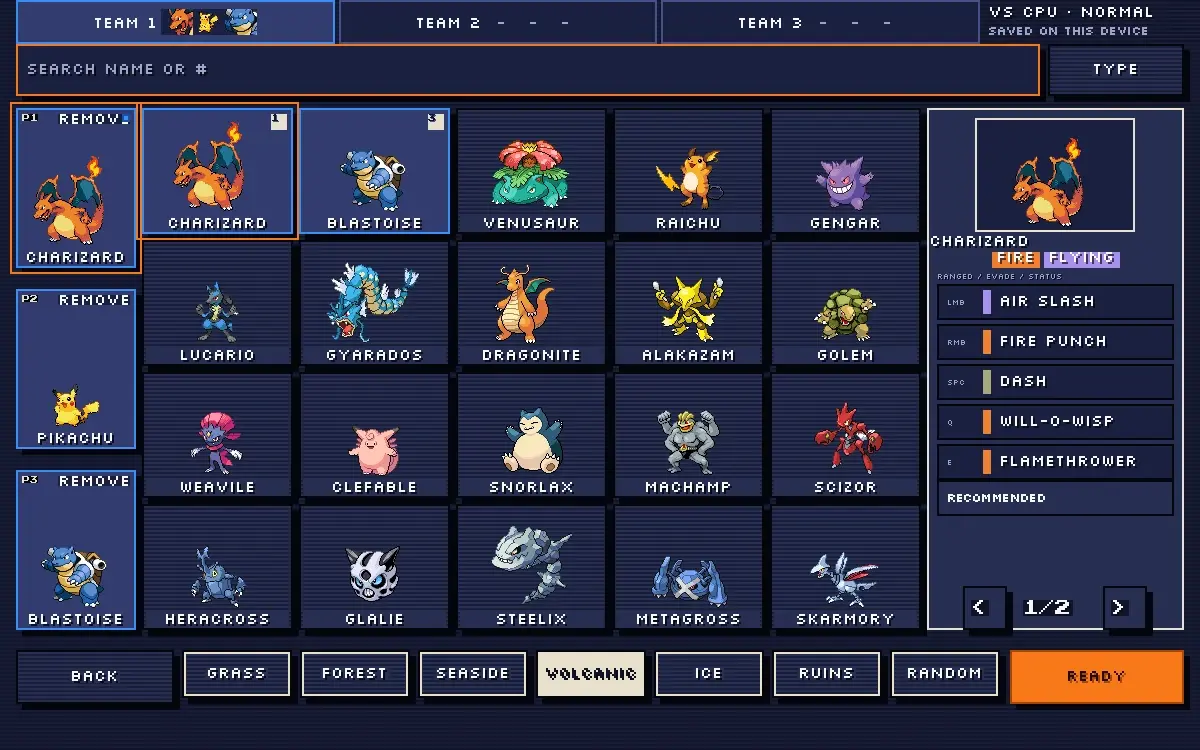
Actual Poke2D Arena game screen
ACTUAL GAME SCREENSHOT

01 / PLAY GAME

Play Poke2D Arena.

Start the original game in the frame below. Click inside it for keyboard controls.

POKE2D ARENA / EMBEDDED GAME

The game stays in this frame. Click inside it for keyboard controls; use fullscreen or turn a phone to landscape for a larger play area.

02 / ABOUT THE GAME

What is Poke2D Arena?

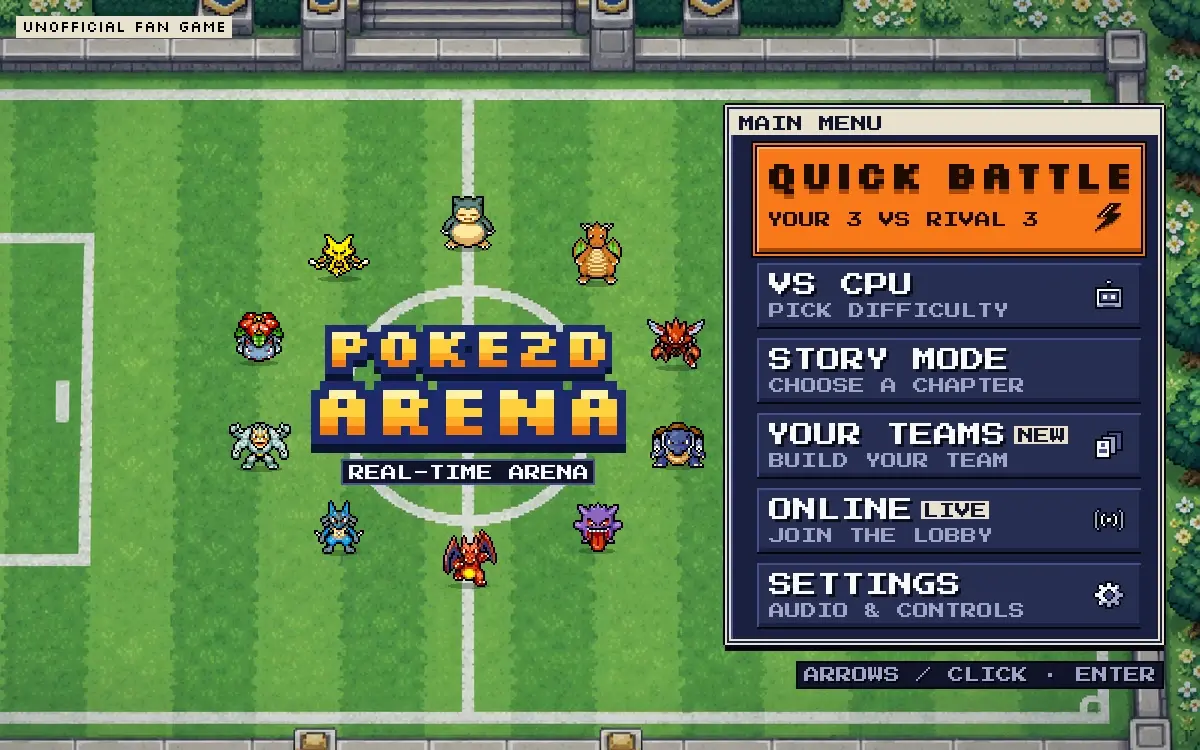
Poke2D Arena is a separate real-time browser game with one active fighter per side. Quick Battle begins with a Pikachu training sequence on Easy; after two wins it becomes random 3v3 on Normal. Vs CPU lets you use a custom trio, edit moves, choose an arena, and set Easy, Normal, or Hard.

Story Mode is a 16-stage, four-chapter 1v1 campaign; Online offers two-player rooms and a three-player brawl. Your Teams stores three trios in browser storage, but Quick Battle uses independent random teams with recommended moves. This page runs a local copy of the game build; online rooms still depend on the original game service.

03 / HOW TO PLAY

Your first run.

Follow the opening screens, then keep the controls nearby while you learn.

  1. 01

    Pick the right mode

    Start with Quick Battle to learn the dodge in Pikachu training. Choose Vs CPU when you want to repeat a specific trio, arena, and difficulty; Story uses one fighter rather than a trio.

  2. 02

    Build and save a trio

    In Your Teams, fill three slots by search or type filter. Use EDIT MOVES on a selected member, then RECOMMENDED if you want its preset back. Vs CPU starts from the selected saved team.

  3. 03

    Use the five combat slots

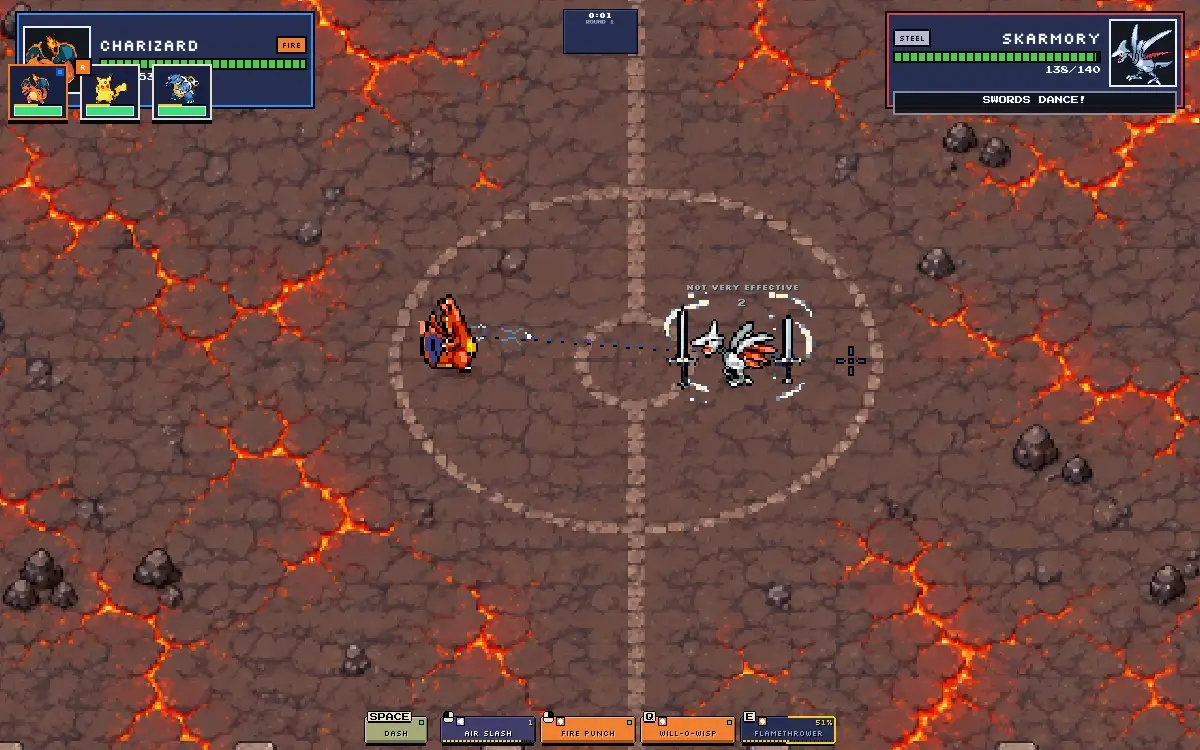
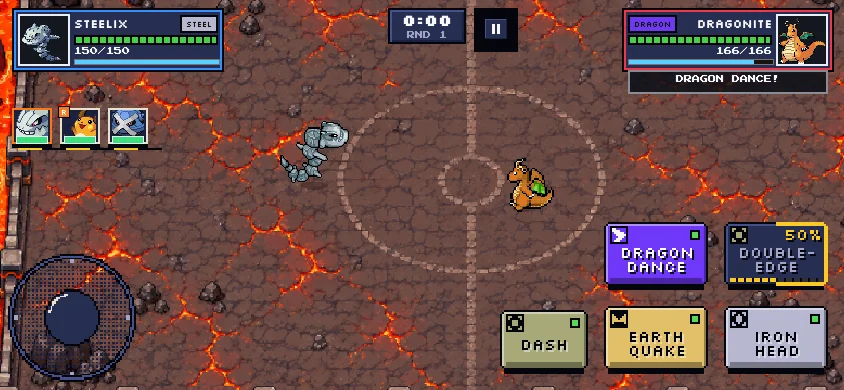
    Click inside the frame for keyboard focus. Move with WASD or arrows and aim with the mouse. LMB is the repeating basic attack; RMB and Q are skills, Space is mobility, and E is the charged ultimate.

  4. 04

    Switch and read the clock

    R cycles healthy teammates; 1, 2, and 3 select a party slot. A switch has a 3.5-second cooldown. Offline matches continue until a side is defeated; Online matches use a 90-second countdown.

Controls at a glance

W A S D / ArrowsMove
Mouse / LMB / RMBAim / basic attack / secondary skill
Space / Q / EMobility / heavy skill / charged ultimate
R / 1–3Cycle teammates / choose a party slot
Touch controlsJoystick, drag-to-aim skill fan, and teammate portraits

Controls can change after a game update. Check the live game’s settings or pause screen.

04 / PRACTICAL STRATEGY

Make each match teach you something.

These decisions follow the game creator’s current rules and the mechanics present in the embedded build.

01 / WHEN THIS HAPPENS

You need a repeatable test

Use Vs CPU on Easy with the same saved trio and arena. Change one move in EDIT MOVES, then replay. Quick Battle randomizes its teams after the opening training sequence.

CHECK YOUR RESULT

You can tell whether the changed move helped without also changing the matchup.
SEE GAME SCREEN 02 ↓
02 / WHEN THIS HAPPENS

Your damage looks too low

Check the target’s types before repeating the same attack. A super-effective hit is 2×, a resisted hit is 0.5×, and same-type attack bonus is 1.5×. Dual types multiply both matchups.

CHECK YOUR RESULT

A different teammate or move produces a clearer hit than the resisted one.

SEE GAME SCREEN 03 ↓
03 / WHEN THIS HAPPENS

A normal skill will not fire

Read that slot’s cooldown and finish any current cast or recovery. Normal skills do not spend a generic energy bar. Only E needs 100% ultimate charge; its meter starts at 50%.

CHECK YOUR RESULT

RMB or Q becomes usable when its own cooldown ends, while E waits for its separate meter.

SEE GAME SCREEN 03 ↓
04 / WHEN THIS HAPPENS

You keep missing heavy attacks

Use LMB while moving to pressure and build ultimate charge. Save RMB or Q until the rival has committed to a move or used its dodge, then aim at the route it must take.

CHECK YOUR RESULT

Your heavy attack lands more often than when fired on sight.

SEE GAME SCREEN 03 ↓
05 / WHEN THIS HAPPENS

A switch input does nothing

Do not switch during a cast, the 3.5-second switch cooldown, or toward a fainted slot. Press 1, 2, or 3 for the intended living member; the send-out briefly prevents actions.

CHECK YOUR RESULT

The active portrait and five move labels change after the new fighter arrives.

SEE GAME SCREEN 03 ↓
06 / WHEN THIS HAPPENS

A supply appears off-screen

Watch the edge arrow: the first drop arrives at about 10 seconds, then every 18 seconds. Heal restores 20% HP; Energy adds 20 ultimate charge; Speed boosts movement for six seconds. Take a safe route rather than crossing an active attack.

CHECK YOUR RESULT

You collect a useful supply without giving back more HP than it restores.

SEE GAME SCREEN 03 ↓
07 / WHEN THIS HAPPENS

Story and team modes feel inconsistent

Story is 1v1 across 16 stages, so no bench switch is available. For switching practice use Vs CPU; for a campaign lesson start at Pier Trial and focus on dodging.

CHECK YOUR RESULT

The controls and team bar now match the mode you selected.

SEE GAME SCREEN 01 ↓

Sources and scope. Modes, controls, switching, supplies, and damage rules were checked against the creator’s current controls, battle-rules, and team-building guides and against the local game bundle on November 19, 2026. The four real screenshots come from the creator’s site and may show an earlier screen. This page serves the public game build locally under the supplied self-hosting authorization because the original host blocks cross-site framing. Online services remain controlled by the original host. Read the gameplay source ↗ Battle rules ↗ Team building ↗ Story Mode ↗