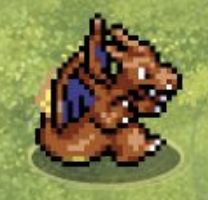
This guide is for the browser game embedded on this site, which opens from pokemonarena2d.online. It describes what a new player can actually see in the game: a main menu, a team screen, Quick Battle, Story Mode, a six-arena selection screen, three CPU difficulty choices, a live match HUD, four move cards, a dodge command, and a team switch. The advice below is a practice plan. It is not a promise that a particular tactic will defeat every opponent or survive every future balance update.
What kind of battle is this?
Pokémon Arena 2D is a real-time arena game. The two sides move and attack at the same time, so there is no comfortable pause while a move-selection menu waits for you. You steer the active creature around a top-down field, choose one of four moves, dodge, and switch among your selected teammates. A move can miss because of direction, range, travel time, an obstacle, or the opponent's movement. That makes positioning and timing just as visible as type choice.
For a first session, your goal should be to understand one exchange, not to learn the entire roster. An exchange begins when both fighters have space to act and ends after one or both have fired, dodged, crossed behind cover, or switched. If you can explain why your last attack missed, you are learning faster than a player who presses all four move buttons without watching the screen. The first match is a laboratory: try one action, observe the result, and change one variable the next time.
A useful mental model has three layers. Position is where you stand relative to the enemy, a wall, and cover. Timing is when you spend a move, dodge, or switch. Resources are remaining HP, move PP, cooldowns, available teammates, and time on the match clock. The layers interact. A powerful move is poor value when fired into a block. A safe position becomes unsafe when a dodge is unavailable. A healthy reserve teammate has little value if you wait until your current fighter faints before learning how switching works.
Before you press Play
Begin with the embedded game frame. If the page is narrow or your browser does not give the frame enough room, use the Open Full Tab link next to the fullscreen control. The game belongs to the source site; this page supplies a play entry and independent guide. Click within the game once so that keyboard input goes to the arena rather than to the surrounding page. If pressing a number key scrolls or does nothing, click the game again before assuming the move is broken.
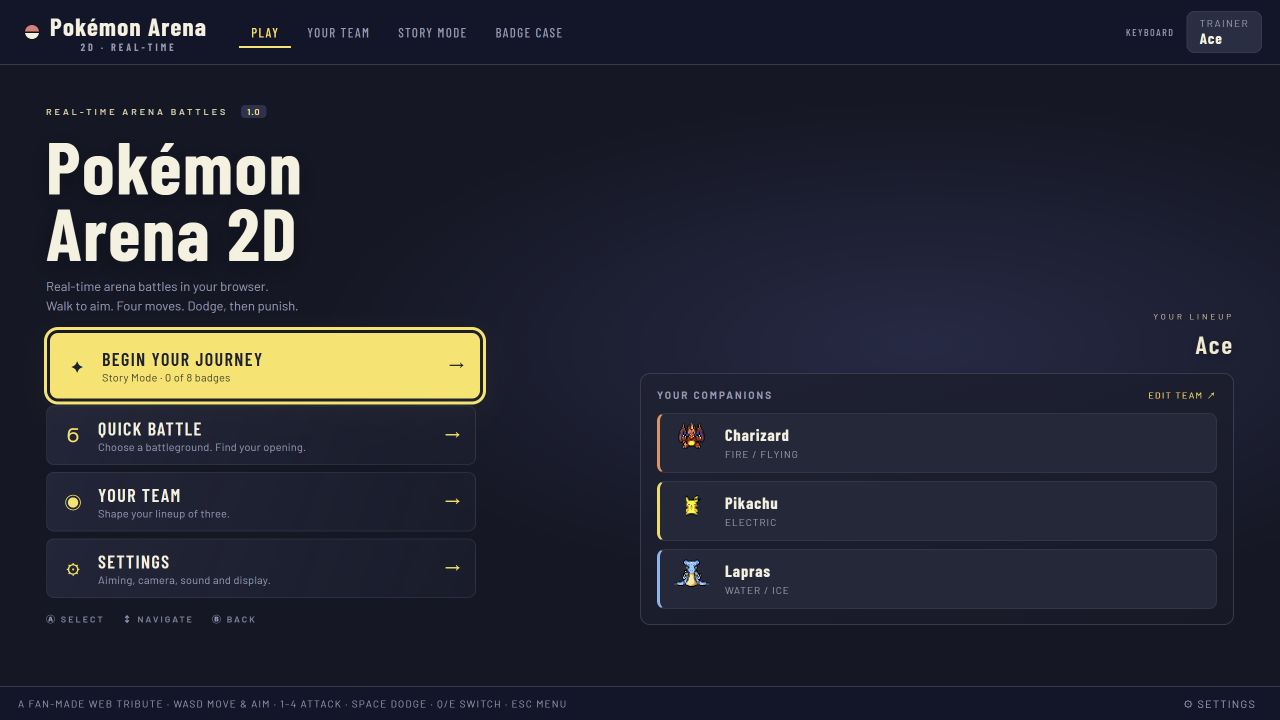
The title screen leads to the main menu. You can enter Story Mode, start a Quick Battle, inspect Your Team, or open Settings. Go to Settings before your first serious round if flashing, camera movement, or audio might distract you. The observed settings page includes sound controls, reduced screen shake, reduced flashing, larger text, aim assist, ability rule choices, and battle camera options. You do not need to change everything. Make a single adjustment when you know what problem you are solving. For example, select the full-arena camera if you want to see both fighters and every cover block while you learn spacing.
The default team visible in our captured session contained Charizard, Pikachu, and Lapras. The team screen permits up to three choices, and it displays the roster, types, statistics, and a few move details when a creature is selected. You can keep the initial trio for a first match. Changing all three immediately gives you many unfamiliar moves and makes a loss hard to analyze. A stable starting lineup lets you notice which attacks reach, which attacks stop on cover, and how switching changes your position.
Choose a controlled first battle
Select Quick Battle. This screen displays six arenas, an option for living arena events, three CPU settings, your current team, and a Fight button. Choose Easy for your first controlled experiment. Easy is a learning opponent rather than a test of pride; it gives you more time to read the field and discover your controls. You can raise difficulty after you can predict what will happen when you fire, dodge, and switch.
Indigo Stadium is a reasonable first arena because its open lanes make it easier to see the path between two fighters. Viridian Grove is also useful if you want to practice moving around cover immediately. Neither is an objectively best beginner arena. The point is to choose one field and keep it consistent for several rounds. If you change arena and team after every loss, you cannot tell which change helped. Keep living arena events enabled once you understand the basic movement; during the very first round, you may turn them off to reduce the number of things competing for your attention.
Before pressing Fight, look at your three team names in the setup panel. Decide which fighter you will begin with and which one you will try switching to. Make the switch plan before the countdown. When the battle opens, there is no strategic pause to read all four move cards from scratch. The lower HUD tells you the move names and PP. Read that row once, pick a simple attack to test, and leave the other three alone for the first exchange.
The first ten seconds
At the start of a match, take a small step toward the middle but do not run directly into the opponent. Watch whether the CPU approaches, circles, or fires from range. Moving changes the direction your creature faces, and facing affects your shot direction. If you stand still and press a move without checking your orientation, the move may travel along an old line. A tiny movement to align your fighter can be more important than pressing faster.
Look for the largest object between the two sides. The game has cover that can obstruct projectiles. Imagine a line from your fighter to the enemy. If that line goes through a block, your first shot may strike the block instead of the target. You can walk a short distance around an edge to open a lane. The same block can protect you from a returning shot. Do not treat cover as scenery; use it to decide where the next exchange should happen.
Make one deliberate attack. Watch its beginning, direction, travel, and end. Did it start immediately? Did it move as a projectile, reach only nearby space, or spread around you? Did the opponent move during the wind-up? Did the attack hit cover? This observation builds your practical move knowledge much faster than a static list of names. You need not memorize exact frame data to see that a slow attack asks for a more secure opening than a fast one.
After attacking, move again. Staying on the line where you fired makes retaliation easy. Sideways movement changes the enemy's aim and may turn a head-on exchange into a safer angle. Do not sprint into a wall, because the wall removes one escape direction. Keep enough open space for a dodge. You want to be able to step left, step right, or retreat after seeing an enemy wind-up.
Learn the controls in one round
On a keyboard, use WASD or arrow keys to move and face. Use the number keys 1 through 4 or click a move card to select an attack. Space dodges. Q and E switch between teammates. Escape opens the menu. A controller and touch controls are also supported by the source game; the on-screen interface changes on smaller displays. The controls shown here were verified from the live game's interface and its settings screen in October 2026.
Practice in a fixed order. First, walk a short square without attacking. Notice whether your creature faces your movement direction. Second, fire the first move at an open lane while moving only enough to align it. Third, let the opponent begin a visible attack and press dodge once. Fourth, switch to a teammate while you still have enough HP to watch the transition. Fifth, pause and resume, so you know how to stop a session without leaving the match.
This sequence matters because each step isolates one system. If you attack, dodge, switch, and move at the same instant, you cannot identify which input made a useful difference. A first round is successful when you can reliably execute every core command, even if you lose. Once the commands feel predictable, you can combine them: step into range, fire, move behind cover, then switch as the opponent tries to follow.
The game also includes an aim-assist option. Its observed Settings description says it can snap a shot toward the opponent while movement still establishes the intended direction. If your shots seem to curve or if you want more literal directional practice, inspect that setting rather than guessing. Keep the setting consistent while comparing attempts; otherwise your aim practice changes under your feet.
Read the battle HUD
Your health appears in the fighter HUD, and the opponent's health appears in the enemy HUD. The lower move cards show four named attacks and their available PP. The team slots show which creatures you can bring in. The top bar identifies the arena, CPU difficulty, and match clock. These are not decoration. They answer four questions every few seconds: how much can I risk, which attack can I still use, can I switch, and how long do I need to survive?
Begin by glancing at the health bars after each exchange. If you lost far more HP than the opponent, you probably traded from a weak position. Review your distance, cover, and dodge timing before concluding that your creature is bad. If neither health bar changed, your shots may have missed, hit cover, or arrived after the opponent moved. If only the opponent lost HP, ask what made that attack connect, then try to recreate the same range and timing.
PP is a second resource separate from the cooldown you see after firing. A move card may be unavailable briefly because it is recovering, or permanently until replenished because its PP has run out. Read the number on the card before repeatedly pressing a slot. Emptying a move early can leave you with fewer options later in the round. Beginners often do better when they test one move repeatedly enough to learn its shape, then rotate to another before the first is exhausted.
The clock changes the value of risk. Early in a round you have time to retreat, observe, and reset. Near the end, the number of remaining creatures can decide the outcome if no side has knocked out the entire opposing team. Do not stare only at HP while the timer is nearly finished. If you lead on surviving teammates, protecting that lead may be wiser than chasing a dramatic final attack through cover.
Dodge with a reason
Dodge is a brief escape tool with a recovery period. Use it in response to a threat you can name: a projectile crossing your lane, a large attack telegraph, an opponent rushing into close range, or your own need to pass through a dangerous gap. Pressing Space every time it becomes ready can leave you unable to answer the attack that matters. A planned dodge has a destination as well as a timing.
When learning, distinguish three dodges. A side dodge moves across an attack path and often preserves distance. A retreating dodge creates space against a short-range threat but may put you near the boundary. An approaching dodge can cross a projectile and reach a good counterattack position, yet it risks arriving too close with no escape left. Use the side dodge first because it is easier to read. Add approaching dodges only after you understand the opponent's move recovery.
A dodge does not erase bad positioning forever. After it ends, you still need a safe square to occupy. If you dodge into a corner, you may escape the current hit and invite the next one. If you dodge through cover or into the opponent without a follow-up plan, you can lose the space you gained. Watch where you finish, not just whether the attack missed.
Try one purposeful switch
A teammate is a live option, not merely a second HP bar. Switching changes your active creature and may change your typing, speed, range, and move shapes. In the first match, choose a moment when the opponent is behind cover or recovering from an attack. Press Q or E once. Watch where the incoming teammate appears, whether you have a brief safe interval, and how soon you can use a move. Do not switch in a panic at the exact moment a large projectile is already crossing your position.
There are several good reasons to switch. Your active creature may be low on HP, poorly matched against the opponent's type, low on useful PP, or trapped in a spacing pattern that another teammate handles better. You might also want to preserve a healthy finisher for the end of the clock. Switching for no reason gives up the current position and asks you to reorient. Treat each switch as a specific answer to the current battle state.
After your first switch, repeat the simplest attack test with the new fighter. A new move card can have a very different shape even if its type looks familiar. Move into an open lane, fire once, and observe. Do not assume that a Water move and a Fire move share travel speed or range. The game is a real-time system; the geometry of an attack matters as much as its name.
Finish, lose, and learn
A match ends when all opposing teammates faint, or when time expires and the remaining-creature comparison decides the result. Win or lose, pause before immediately starting another battle. Name one thing you controlled well and one thing you will change. Good observations are concrete: “my second projectile hit the middle block,” “I dodged into the upper wall,” or “I switched after the enemy's heavy move instead of during its wind-up.” “I need to play better” is too vague to guide the next attempt.
For your second match, keep the same team, arena, and difficulty. Change just one choice: for example, move around the other side of the central cover before firing. The reason is experimental clarity. If your result improves, you can connect it to a visible change. After a few rounds, try a different arena or replace one teammate. The game has enough variety that you can always find another variable, but a beginner improves by controlling variables first.
A useful ten-minute loop is three rounds long. Round one is for controls and observation. Round two is for attacking from a clear lane and saving dodge for a visible threat. Round three is for one planned teammate switch. Write down or remember only a single finding from each round. The loop creates a small body of reliable personal knowledge without requiring you to memorize an enormous guide before playing.
A first-match checklist
- Open the game and click within its frame so it receives keyboard input.
- Keep the default team or change only one slot while learning.
- Use Quick Battle on Easy and choose one arena for several attempts.
- Read your four move cards and identify one low-risk test attack.
- Move a small amount to face the target before firing.
- Check whether cover blocks the path of your shot.
- Use one dodge against a visible threat, then inspect where you landed.
- Switch once at a deliberate, relatively safe moment.
- Check HP, PP, teammate availability, and the clock after each exchange.
- Replay with one controlled adjustment rather than changing everything.
The checklist is not a rigid script. An opponent may behave differently, and later game updates may alter a move or arena. It is a way to direct your attention. A new player who can answer “Where was I? What did I spend? What happened next?” after each exchange is already building the foundation for stronger play.